


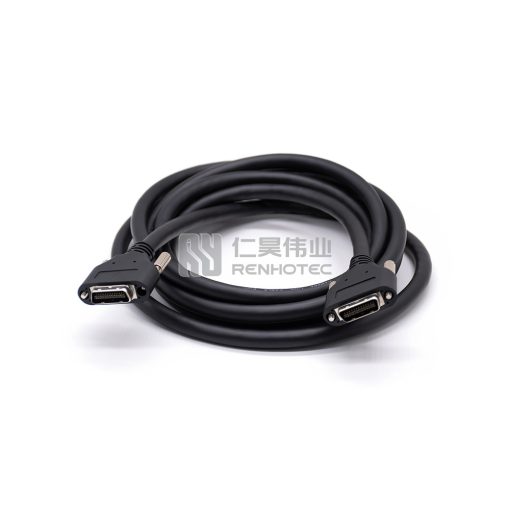
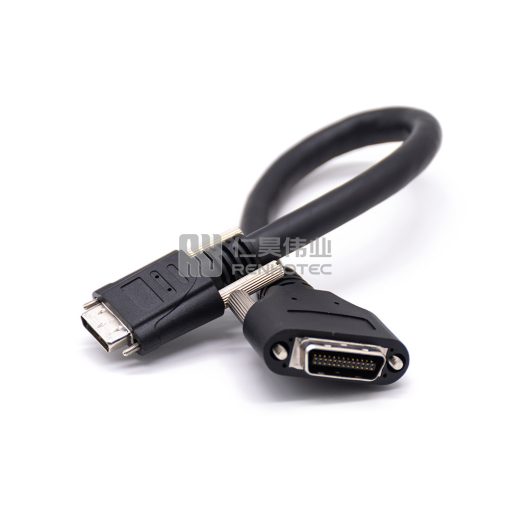
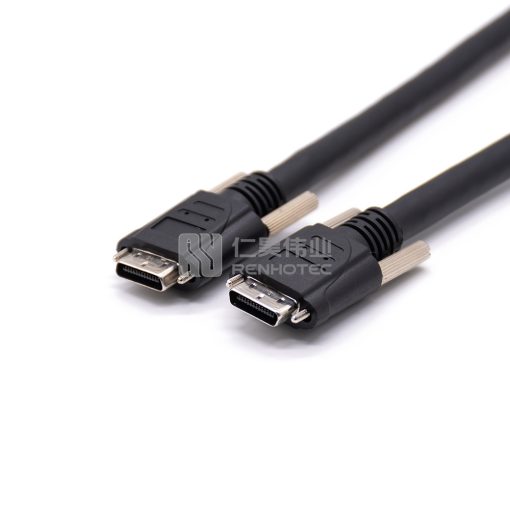
For more than two decades, Camera Link has been the workhorse interface of high-speed machine vision — the cable that connects line-scan cameras on printing presses to frame grabbers in industrial PCs, moves gigabits of image data per second, and asks for nothing in return except a good shield and a tight screw lock.
Yet sourcing a Camera Link cable remains surprisingly confusing. You need to know your configuration (Base, Medium, Full, or Deca), your connector types (MDR or SDR, plug or jack, straight or right-angle), your length, and whether your camera draws power over the same cable. And once you decode all of that, the OEM cable often arrives with a three-digit price tag.
This guide covers the whole picture: how Camera Link works, MDR versus SDR in practice, the eight standard assemblies in the Renhotec Camera Link series, cross-brand compatibility with OEM part numbers, the industries where these cables earn their keep, and honest answers to the questions customers actually ask.
What Is a Camera Link Cable?
Camera Link is an interface standard published by the Automated Imaging Association (AIA) in 2000, built on Channel Link LVDS (low-voltage differential signaling) technology. In plain terms, it moves image data from a camera to a frame grabber over twisted differential pairs — point to point, at speeds that were exceptional two decades ago and still hold their own today.
A Camera Link cable is a 26-conductor assembly carrying image data, camera control signals, serial communication, and — in PoCL (Power over Camera Link) systems — the camera’s power, all through standardized MDR or SDR connectors with screw locks.
The standard defines four cable configurations, which set how many data bits move on every pixel clock:
| Configuration | Data bits | Throughput @ 85 MHz |
|---|---|---|
| Base | 24-bit | 2.04 Gbps (255 MB/s) |
| Medium | 48-bit | 4.08 Gbps (510 MB/s) |
| Full | 64-bit | 5.44 Gbps (680 MB/s) |
| Deca (80-bit) | 80-bit | 6.8 Gbps (850 MB/s) |
Two practical notes are worth more than the table. First, Camera Link has no error correction and no retransmission: what the camera sends is what the frame grabber gets. Cable quality is your error margin — a marginal cable does not slow the link down, it corrupts frames.
Second, the 80-bit Deca configuration requires SDR (Mini Camera Link) connectors on both ends, because full-size MDR contact density cannot support it. That single fact explains most of the connector confusion covered next.
MDR vs SDR: The Connector Decision
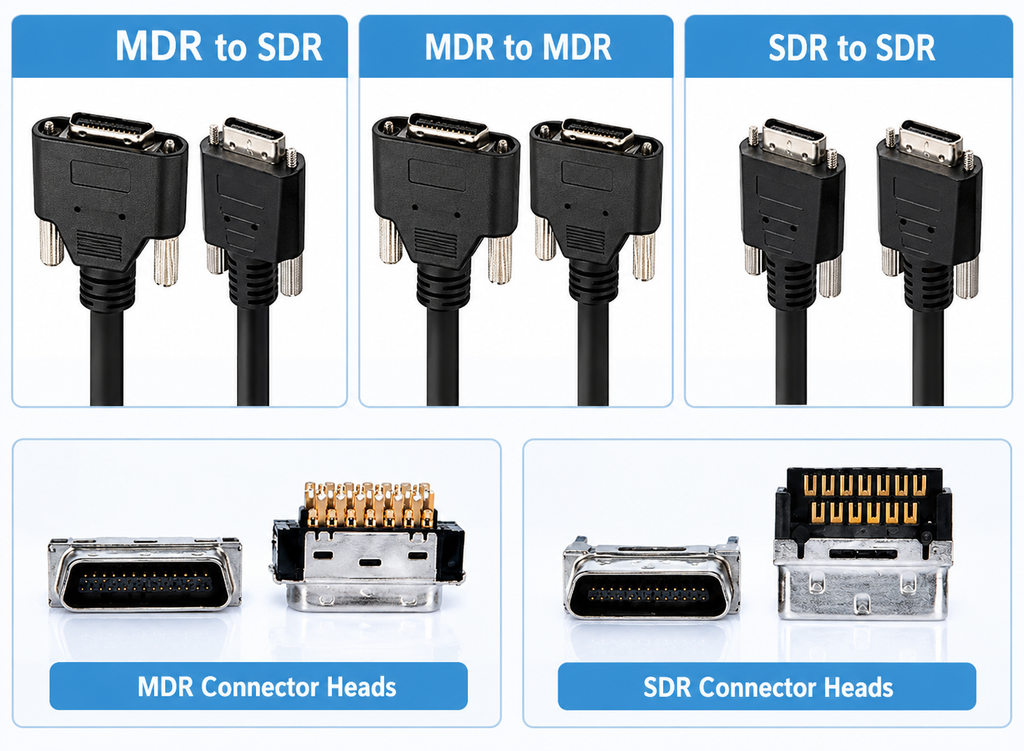
The most common ordering mistake in Camera Link is misreading the connector. Four questions settle it:
1. Physical size. MDR26 is the full-size original, with robust screw locks. SDR26 (Mini Camera Link) is roughly half the size, built for compact cameras where a full-size connector would not fit behind the lens.
2. Where you find them. Frame grabbers traditionally expose MDR ports, while modern compact cameras — and every 80-bit Deca system — use SDR. That makes the most common cable in the field MDR at the frame grabber end and SDR at the camera end.
3. Jack versus plug. Nearly everything is a plug, but panel-mount jacks exist for passing the signal through an enclosure wall — a frequent requirement in EMI-shielded and cleanroom setups.
4. Straight versus right-angle. Right-angle backshells save space in tight machine layouts, where a straight connector would collide with the housing, a bracket, or the cable next door.
Answer those four questions for both ends of your link, and the cable selects itself — which is exactly how the Renhotec series below is organized. Whatever the combination, the electrical foundation is the same:
The Renhotec Camera Link Cable Series
Every Renhotec Camera Link assembly shares one foundation: the standard 26-pin pinout, positive screw locks on both ends, full cable shielding, and a −40 °C to +105 °C operating range — plus a compatible-camera table on every product page. The eight standard configurations exist to answer a single question: which connectors are on your two ends?
Here is the whole series at a glance — read the two ends first, then the exit style:
| # | Connector pair | Exit style | SKU | Typical use |
|---|---|---|---|---|
| 1 | MDR plug → MDR plug | Straight / straight | I01-I01-10008-100 | Legacy camera / grabber |
| 2 | MDR plug → MDR right-angle | Straight / 90° | I01-I01-10005-100 | Clearance at the camera |
| 3 | MDR plug → SDR plug | Straight / straight | I01-I01-10001-25 | MDR grabber → SDR camera |
| 4 | MDR plug → SDR plug | Straight / straight | I01-I01-10006-100 | Same pinout, other length |
| 5 | MDR right-angle → SDR plug | 90° / straight | I01-I01-10003-100 | Clearance at the grabber |
| 6 | SDR plug → SDR plug | Straight / straight | I01-I01-10002-100 | Mini CL grabber / camera |
| 7 | SDR plug → SDR jack | Straight / panel-mount | I01-I01-10007-100 | Enclosure pass-through |
| 8 | SDR plug → SDR right-angle | Straight / 90° | I01-I01-10004-100 | Compact camera, tight space |
MDR to MDR: The Full-Size Legacy Link

MDR Plug to MDR Plug Camera Link Cable Assemblies
SKU I01-I01-10008-100
The straightforward one: full-size MDR26 plugs on both ends, for legacy cameras and frame grabbers that never moved to Mini Camera Link. If both of your ports are full-size, this is your cable.
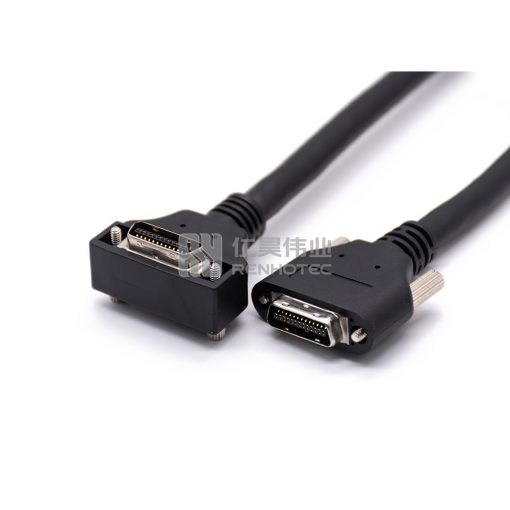
MDR Plug to MDR Right Angle Plug Camera Link Cable Assemblies
SKU I01-I01-10005-100
Solves the layout problem the straight version cannot: when the camera sits flush against a housing or a neighboring assembly, the 90° exit turns the cable along the machine surface instead of into it.
MDR to SDR: The Most Common Cable in the Field

MDR Plug to SDR Plug Camera Link Cable Assemblies
SKU I01-I01-10001-25
The series workhorse and the single most requested configuration: an MDR26 plug for the frame grabber’s full-size port and an SDR26 plug for a modern compact camera.
MDR Plug to SDR Plug Camera Link Cable Assemblies
SKU I01-I01-10006-100
Keeps the same 26-pin pinout with a different standard length — because using the right length, not the longest length, is the cheapest signal-integrity fix there is.
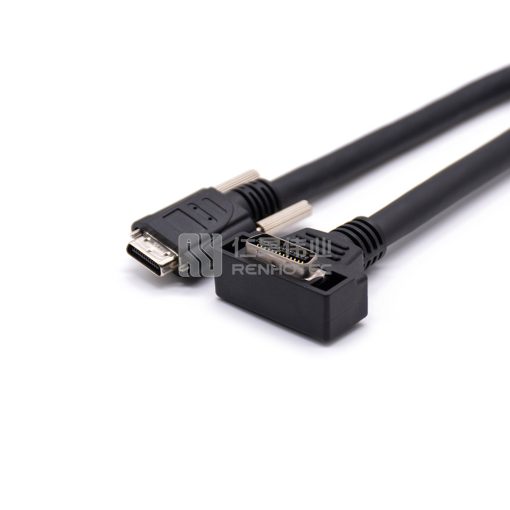
MDR Right Angle Plug to SDR Plug Camera Link Cable Assemblies
SKU I01-I01-10003-100
Puts the bend at the frame grabber end. In crowded backplanes and rack layouts, the port that faces a wall or a card cage is rarely the camera port — this is the cable for that machine.
SDR to SDR: Mini Camera Link All the Way

SDR Plug to SDR Plug Camera Link Cable Assemblies
SKU I01-I01-10002-100
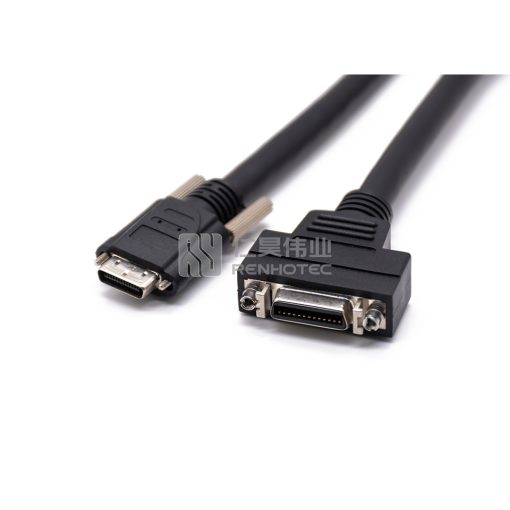
Serves frame grabbers with Mini Camera Link ports and the most compact cameras — and it is the natural home of 80-bit Deca systems, since Deca requires SDR contacts at both ends.
SDR Plug to SDR Jack Camera Link Cable Assemblies
SKU I01-I01-10007-100
The panel-mount specialist: the jack bolts through an enclosure wall, so the signal crosses the barrier through a shielded, grounded connector instead of a grommet hole with an unshielded loop behind it.
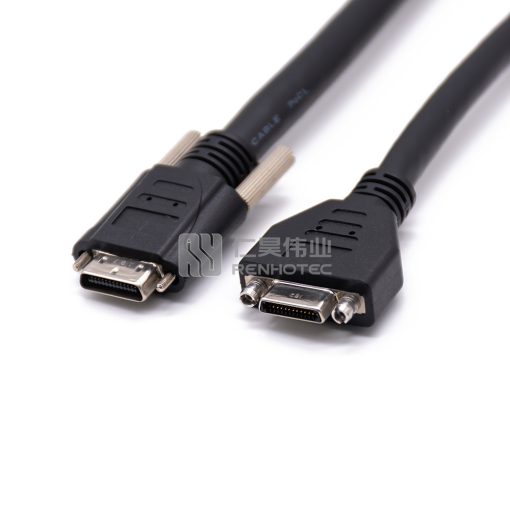

SDR Plug to SDR Right Angle Plug Camera Link Cable Assemblies
SKU I01-I01-10004-100
Closes the matrix: compact camera, compact port, and no room behind either. The right-angle exit keeps the cable tight to the camera body in robotic end-effectors and other space-starved mechanisms.
Want the complete lineup in one document?
The Industrial Camera Cables Product Catalog gathers every Renhotec camera cable family — connector options, specifications and part numbers.
Compatibility With Major Camera Brands & OEM Part Numbers
Because Camera Link is a published AIA standard — not a proprietary interface — any compliant 26-pin cable is cross-brand by nature. If your camera has an MDR or SDR port and your frame grabber has the matching port, a Renhotec cable with the right configuration drops straight in. Our assemblies are field-proven with area-scan and line-scan cameras from the brands below, and every product page carries the full compatible-camera list for that exact cable.
| Camera brand | Typical Camera Link series | Camera-side port | Start with |
|---|---|---|---|
| Teledyne DALSA | Genie Nano-CL, Linea, Piranha, AViiVA, ELiiXA+ | SDR or MDR | MDR→SDR / SDR→SDR series |
| Basler | ace classic, beat, racer (CL variants) | MDR or SDR | MDR→SDR / SDR→SDR series |
| FLIR | TAU2, Boson | SDR | SDR→SDR (10002), right-angle (10004) |
| Baumer | SXC, HXC | MDR or SDR | MDR→SDR series |
| Sony | XCL series | MDR | MDR→MDR (10008) |
| JAI | Area-scan CL models | MDR | MDR→MDR / MDR right-angle |
| Allied Vision | Goldeye CL (SWIR) | MDR | MDR→MDR, screw lock |
| Imperx | Tiger, Bobcat | MDR | MDR→MDR series |
Replacing an OEM cable? Cross-check the original part number. 3M’s Mini Camera Link (MDR) cables carry part numbers in the 14B26-SZLB-XXX-0LC family, where XXX is the length code, and our MDR-series SKUs follow the same length suffix logic. Basler’s Camera Link cables sit in the 2000031xxx range; Renhotec MDR/SDR assemblies are dimensionally and functionally equivalent replacements, with standard lengths from 0.3 m to 10 m and custom lengths on request.
One habit worth keeping: before ordering, check your frame grabber’s port type (MDR or SDR), confirm whether your camera needs PoCL power, and glance at the port drawing in the camera manual. If anything looks non-standard — an unusual length, a panel-mount jack, a mixed pin assignment — our engineers review your pinout before production.
OEM Camera Link Cable Part Number Cross-Reference
| Renhotec SKU | Interface | Configuration | Basler | Hikrobot | Keyence | 3M | Omron |
|---|---|---|---|---|---|---|---|
| I01-I01-10001-25 | MDR 26-Pin ↔ SDR 26-Pin | Straight ↔ Straight | 2000031082 (3m) 2000031083 (5m) |
MV-ACCL-SDR-MDR-HF-3m / 5m / 7m | CA-CH3 / CA-CH5 / CA-CH10 | 1MF26-L560 (Full) 1MA26-3560 (Base/Medium) |
FZ-VS3 (Standard) |
| I01-I01-10002-100 | SDR 26-Pin ↔ SDR 26-Pin | Straight ↔ Straight | 2000031079 (3m) | MV-ACCL-SDR-SDR-ST-3m / 5m / 7m;MV-ACCL-SDR-SDR-HF-3m / 5m / 7m | CA-CH3 / CA-CH5 / CA-CH10 | 1SF26-L120 (Full) 1SA26-3120 (Base/Medium) |
FZ-VS3 (Standard) |
| I01-I01-10003-100 | MDR 26-Pin ↔ SDR 26-Pin | MDR Right Angle ↔ SDR Straight | 2000031082 / 2000031083 (Interface reference only) | — | CA-CH3L / CA-CH5L / CA-CH10L | 1MF26 series (Right-angle variant to be verified) | FZ-VSL3 (Right Angle) |
| I01-I01-10004-100 | SDR 26-Pin ↔ SDR 26-Pin | SDR Straight ↔ SDR Right Angle | 2000031079 (Interface reference only) | — | CA-CH3L / CA-CH10L | 1SF26 series (Right-angle variant to be verified) | FZ-VSL3 (Right Angle) |
| I01-I01-10005-100 | MDR 26-Pin ↔ MDR 26-Pin | MDR Straight ↔ MDR Right Angle | — | — | CA-CH3L / CA-CH10L | 14H26-SZLS / 14H26-SZLM (Right-angle variants to be verified) | FZ-VSL3 (Right Angle) |
| I01-I01-10006-100 | MDR 26-Pin ↔ SDR 26-Pin | Straight ↔ Straight | 2000031082 (3m) 2000031083 (5m) |
MV-ACCL-SDR-MDR-HF-3m / 5m / 7m | CA-CH3 / CA-CH5 / CA-CH10 | 1MF26-L560 (Full) 1MA26-3560 (Base/Medium) |
FZ-VS3 (Standard) |
| I01-I01-10007-100 | SDR 26-Pin ↔ SDR 26-Pin | Straight ↔ Straight | 2000031079 (3m) | — | CA-CH3 / CA-CH5 / CA-CH10 | 1SF26-L120 (Full) 1SA26-3120 (Base/Medium) |
FZ-VS3 (Standard) |
| I01-I01-10008-100 | MDR 26-Pin ↔ MDR 26-Pin | Straight ↔ Straight | — | — | CA-CH3 / CA-CH5 / CA-CH10 / CA-CH15* | 14B26-SZLB (Full) 14B26-SZ3B (Base/Medium) |
FZ-VS3 (Standard) |
Where Camera Link Cables Earn Their Keep
GigE Vision may own the low-speed, long-distance corner of machine vision, but Camera Link still dominates wherever frame timing is money — line-scan imaging, high-speed inspection, and any line where a dropped frame means a scrapped part. That shows up in a handful of industries:
- Print and web inspection. Line-scan cameras ride along printing presses and converting lines, watching paper, film, and foil at full production speed. Cable runs down a press hall can stretch several meters, and constant machine vibration is exactly why screw-locked MDR connectors stay put when friction-fit connectors walk themselves loose.
- Electronics and semiconductor. SMT lines, PCB AOI, and wafer inspection push high pixel clocks in electrically noisy halls — full cable shielding is not optional here, it is the difference between a clean image and ghost artifacts.
- Food sorting and recycling. Grain, fruit, and material streams are increasingly inspected by SWIR cameras such as the Goldeye CL, where moisture and foreign matter show up clearly. Dust, washdown-adjacent areas, and 24/7 duty cycles favor simple, field-replaceable cables over proprietary ones.
- Pharmaceutical and packaging. Blister-pack inspection and label verification live inside compact machines — SDR connectors and PoCL (power and data on one cable) save space, and right-angle exits (SKUs 10004, 10005) fit where a straight backshell simply doesn’t.
- Enclosure pass-throughs. When the camera sits outside an EMI-shielded or clean enclosure and the frame grabber sits inside, the panel-mount SDR jack (SKU 10007) carries the signal cleanly through the wall instead of leaving a grommet hole and unshielded loop.
Frequently Asked Questions
How long can a Camera Link cable be?
For Base configuration, stay conservative at 3 m or less; a well-shielded cable runs up to about 10 m. Beyond that, use a repeater or switch to Camera Link HS / fiber. We have seen a 12 m economy cable drop roughly 30% of frames on a Full-configuration line — length limits are real, not theoretical.
Why am I getting dropped or corrupted images?
Check three things in order: (1) pixel clock — Camera Link does not auto-negotiate; if your camera’s pixel clock exceeds the frame grabber’s limit (often 85 MHz), images corrupt silently; (2) cable length vs. configuration (see above); (3) connector seating — retighten the screw locks and check for EMI sources near the run.
Do I need PoCL?
Check the camera datasheet, not the cable. If your camera draws power over Camera Link, both the frame grabber and the cable must carry the PoCL power pairs — our cables follow the full standard 26-pin pinout. If the camera is powered separately, any compliant cable works.
Can these cables go into a drag chain?
Yes, with two cautions: respect a dynamic bend radius of at least 8× the cable diameter, and remember that copper fatigues — after millions of cycles, conductors can develop micro-breaks that pass a static continuity test but fail under motion. For high-cycle chains, ask us about high-flex constructions and treat the cable as a scheduled wear part.
OEM Camera Link cables are expensive — is a replacement really equivalent?
Brand-name CL cables are routinely quoted in the hundreds of dollars (one distributor lists a 0.3 m jumper at $341). Because Camera Link is a standardized 26-pin interface, a fully shielded, screw-locked cable with the correct pinout performs the same function. That is why we verify your pinout and port configuration before production rather than after.
The Bottom Line
Camera Link is not a legacy interface waiting to retire. It is the reliability choice for high-speed, timing-critical imaging, and the installed base of frame grabbers and line-scan cameras will keep it running for decades. Specifying the right assembly comes down to three things: the connector on each end, the length your line actually needs, and the environment the cable must survive.
Renhotec’s eight standard configurations cover every MDR/SDR combination — straight, right-angle, and panel-mount — with full shielding, screw locks, and a −40 °C to +105 °C rating. Tell us your camera and frame grabber models, and we will match the cable, verify the pinout before production, and quote standard or custom lengths in a single reply.
Not sure which assembly fits your camera and frame grabber?
Send us the two model numbers. We confirm the connector pair, pinout and length before production — then quote standard or custom lengths in one reply.

As a Product Manager at Renhotec Group (est. 2008), I specialize in providing deep technical insights into connectors, cables, and custom electronic components. Renhotec is a global leader in interconnect solutions, dedicated to manufacturing high-standard products for diverse industries as your trusted technical partner.